School fee management software that collects, receipts and reminds.
Set up fee structures once, let parents pay online through Razorpay, and stop chasing defaulters by phone.
Where school fee collection usually goes wrong
Fee collection is the busiest and most error-prone job in a school office. Fee structures differ by class, transport adds a second ledger, siblings and staff children get concessions, and every parent wants a receipt. When this lives in a spreadsheet, the accountant spends the month end reconciling bank statements against registers, and the principal finds out about defaulters only when the cash flow tightens.
Schoolo’s fee module is designed to remove that reconciliation work: the structure, the payment, the receipt and the defaulter list all come from the same record.
Fee structures, collection and records
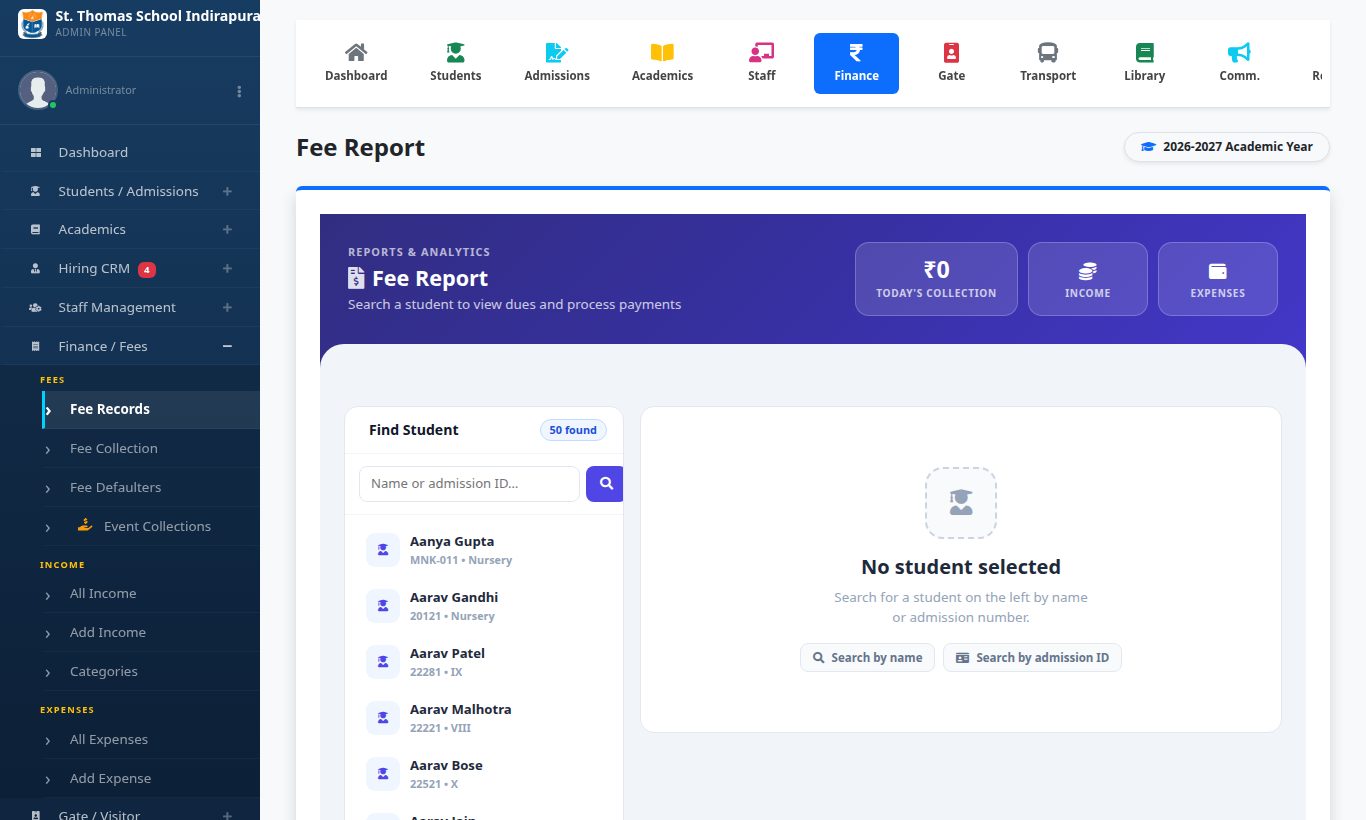
The Finance section is organised around the way an accounts desk works. You define fee structures per class, review them in a fee matrix, and see every collected payment in a records view. At the counter, the accountant searches for a student by name or admission number, sees what is due and records the payment. Transport and bus fees can be assigned per student on the Growth plan and above, so they sit alongside tuition instead of in a separate sheet.
Online payment with Razorpay
Parents can pay online by UPI, debit or credit card, or net banking. The school connects its own Razorpay account, so settlement lands in the school’s bank account on Razorpay’s schedule. Razorpay confirms each payment back to Schoolo automatically, and a numbered digital receipt is created for the parent. Setup is a few steps, and we have written them up in the Razorpay setup guide and the UPI guide.
Payment gateway charges are set by the gateway, not by Schoolo. If you are still deciding between providers, read our comparison of Razorpay, PayU and Cashfree for school fees, which uses only their published pricing. To be upfront: online payment in Schoolo is built on Razorpay only.
Reminders without awkward phone calls
The Fee Reminder Blast lets the office pick an academic year and, optionally, a class, then send a reminder to every student with pending fees. The message includes the amount and the student’s name, and it goes out as a push notification with a copy saved in the app inbox. Students without an app login are skipped, so make sure families have installed the app. For schools that prefer WhatsApp, an optional WhatsApp broadcast module is paid from a prepaid wallet.
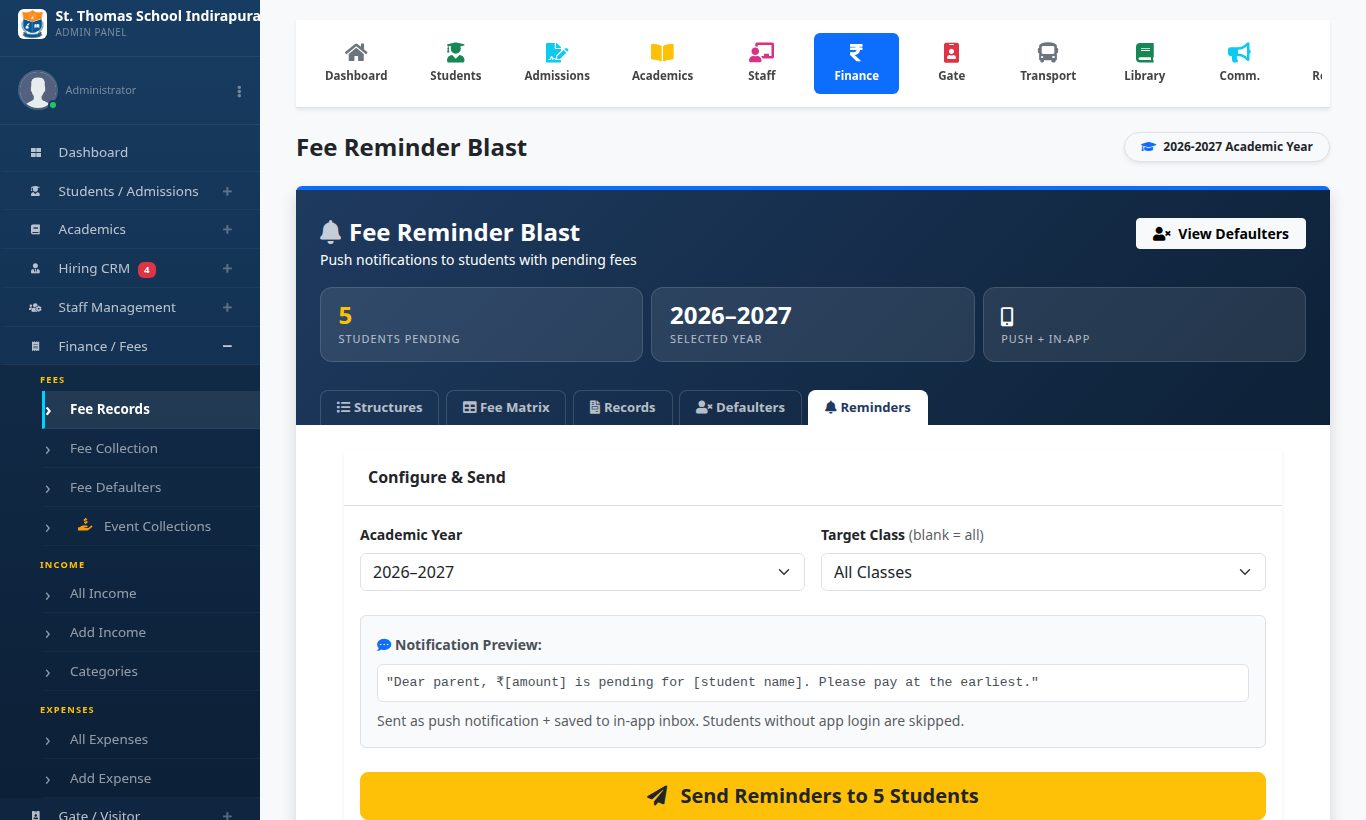
A defaulters view lists who owes what, so follow-up calls can target the few families who need one. Our guide to reducing fee defaulters without awkward calls covers a sensible reminder rhythm.
Going live in a few steps
Schools that move fee collection online usually follow the same sequence, and it is worth doing in this order so the first real payment is not also the first test:
- Define the fee structures for each class, including transport where it applies.
- Bring in students and any existing balances from your spreadsheet. Migration is included on every plan.
- Connect the school’s Razorpay account and make one small test payment end to end.
- Ask parents to install the app, then send the first reminder to a single class before you send it to everyone.
Events, expenses and reports
- Event collections: collect for trips, sports day and similar events through Razorpay, separate from tuition (Growth and above).
- Income and expenses: track other income and school expenses by category (Growth and above).
- Reports: fee collection and outstanding reports, exportable to PDF and Excel.
- Receipts: numbered receipts for every payment.
What it costs
Fee management and receipts are included in every Schoolo plan, from Starter at ₹2,399 a month billed yearly for up to 500 students. Pricing is per school, not per student, so a rise in admissions does not raise your fee software bill until you cross a tier. All prices exclude 18% GST. See the pricing page.
Where to go next
Fees are one module of a larger system. Read about the whole school ERP, the admissions workflow that feeds new students into the fee module, or our comparison of school management software in India.
Common questions.
Straight answers, with no sales spin.
See your own fee structure in Schoolo.
Start the one-year free trial, or book a demo and we will walk through it using your own fee structure.
Start the free trial → Book a demo or call +91 92208 69794